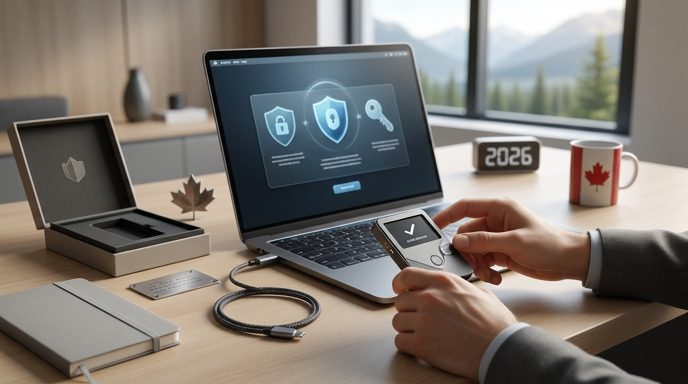
Bitcoin Hardware Wallet Canada 2026: How to Choose, Buy, and Set Up Secure Self‑Custody
If you are in Canada looking for a Bitcoin hardware wallet in 2026, this guide explains how to choose, where to buy safely, and how to set up a secure self-custody workflow that fits Canadian realities like CRA recordkeeping, shipping, warranties, and power outages. This article focuses exclusively on hardware wallets for holding private keys to Bitcoin (not custodial services) and gives practical steps, comparison criteria, and post-purchase security checks to protect your bitcoin over the long term.
Table of Contents
- Table of Contents
- Why hardware wallets matter for Bitcoin self-custody
- Key criteria to evaluate hardware wallets in 2026
- 1. Security model and certifications
- 2. Supply chain risk and trusted purchase channel
- 3. Backup and recovery options
- 4. Compatibility and ecosystem
- 5. Longevity, warranty, and vendor support
- Quick comparison: popular hardware wallets (2026)
- Where to buy in Canada safely
- Step-by-step setup and first security checks (11 critical steps)
- Advanced options: multisig, passphrases, and open-source firmware
- Multisig for shared and estate custody
- Passphrases and plausibly deniable setups
- Open-source firmware and community-reviewed tooling
- Post-purchase maintenance and CRA considerations
- FAQ
- 1. Is Bluetooth safe on hardware wallets?
- 2. Can I buy a hardware wallet locally in Canada?
- 3. What if my wallet dies or the vendor disappears?
- 4. Should I use a passphrase?
- 5. How does a hardware wallet work with a full node?
- Conclusion and actionable takeaways
Table of Contents
- Why hardware wallets matter for Bitcoin self-custody
- Key criteria to evaluate hardware wallets in 2026
- Quick comparison: popular hardware wallets (2026)
- Where to buy in Canada safely
- Step-by-step setup and first security checks
- Advanced options: multisig, passphrases, and open-source firmware
- Post-purchase maintenance and CRA considerations
- FAQ
- Conclusion and actionable takeaways
Why hardware wallets matter for Bitcoin self-custody
Hardware wallets are purpose-built devices that store private keys offline and sign Bitcoin transactions without exposing keys to the internet. For Canadians who want true self-custody — full control of private keys — a hardware wallet is a practical combination of security, portability, and usability. Compared to custodial exchanges or custodial apps, a hardware wallet reduces attack surface from exchange hacks, phishing, and third-party insolvency.
Key criteria to evaluate hardware wallets in 2026
When choosing a hardware wallet, compare across security, usability, supply chain risk, compatibility, recoverability, and long-term support. Below are the most important criteria with practical checks.
1. Security model and certifications
- Secure element vs. software-only: Secure elements provide tamper-resistant storage for keys. Understand each vendor's model.
- Independent audits: Prefer devices with recent third-party security audits and public reports.
- Open-source firmware: Open firmware improves transparency; closed firmware requires more trust in the vendor.
2. Supply chain risk and trusted purchase channel
- Buy new, sealed units from manufacturer or authorized Canadian resellers. Avoid second-hand devices unless you can factory reset and verify seed generation.
- Check manufacturer policies for tamper-evident packaging and activation procedures.
3. Backup and recovery options
- Seed phrase length and format (12, 18, 24 words) and whether BIP39 or other standards are used.
- Support for passphrases (BIP39 passphrase) and how this affects recovery complexity.
4. Compatibility and ecosystem
- Works with major wallets, full nodes, and mobile apps. If you plan to run a node, check compatibility ahead of purchase.
- Connectivity options: USB-C, Bluetooth, or air-gapped signing. Bluetooth can be convenient but increases attack surface.
5. Longevity, warranty, and vendor support
- Long-term firmware updates, clear warranty and replacement policies, and a predictable update process.
- Availability of replacement parts or clear migration path if vendor discontinues a model.
Quick comparison: popular hardware wallets (2026)
Below is a concise comparison with the most relevant dimensions for Canadian buyers in 2026.
| Model | Security model | Connectivity | Best for |
|---|---|---|---|
| Vendor A flagship | Secure element, audited | USB-C, Bluetooth (optional) | Everyday use + mobile wallets |
| Vendor B open-source | Open firmware, software wallet sign | Air-gapped/QR | Security-focused, transparency |
| Vendor C minimalist | Secure element, proprietary | USB-C only | Desktop-first users and node operators |
Note: This table is illustrative. Verify the latest firmware, audits, and vendor statements before buying. If you plan to integrate with your own full node, read the vendor compatibility documentation or follow a node setup guide like the one below.
How to run a Bitcoin full node in Canada is a useful companion when choosing a wallet you will use with your own node.
Where to buy in Canada safely
Buying from trusted channels is as important as the device selection. Options include manufacturer webstores, authorized Canadian resellers, and select local shops. Avoid general marketplaces for sealed hardware wallets unless the seller is an authorized reseller.
- Manufacturer official store — lowest supply chain risk when buying new sealed units.
- Authorized Canadian resellers — faster shipping, local warranties, and easier returns.
- Bitcoin-focused local shops — good for in-person support, but verify stock is sealed and unopened.
- Secondary market only if you can factory-reset and personally generate a new seed on-device.
If you are still acquiring Bitcoin or moving from an exchange to self-custody, review our market guide to find trusted purchase methods before buying a wallet: Where to buy Bitcoin in Canada (2025).
Step-by-step setup and first security checks (11 critical steps)
Follow these steps immediately after unboxing to validate the device and create a secure custody workflow.
- Inspect packaging for tamper evidence and compare serial numbers to vendor guidance.
- Update firmware only after verifying vendor-signed release notes via the vendor site. Do not update from third-party links.
- Factory reset the device if it is not new-sealed to ensure no prior seed exists.
- Generate the seed phrase on-device, never on a computer or phone. Write the words on high-quality metal or archival backup solutions for long-term storage.
- Validate the seed by performing a test recovery on a secondary device or emulator if possible.
- Create a PIN and enable additional security features such as a passphrase if you understand the implications.
- Make multiple backups and store them in geographically separated secure locations. Consider a safety-deposit box or trusted family member for one copy.
- Perform a small test transaction from an exchange to the new wallet and back to verify signing and address control.
- Record purchase and device receipts for CRA bookkeeping and warranty claims if required.
- Register serial numbers and support accounts with the vendor only on their official site.
- Plan emergency recovery procedures and communicate them securely to your executor or co-signer when using multisig.
Advanced options: multisig, passphrases, and open-source firmware
Advanced users should consider additional layers of protection beyond a single hardware wallet. Each option has trade-offs in complexity and recoverability.
Multisig for shared and estate custody
Multisig spreads trust across multiple devices and people. For family and estate plans, a 2-of-3 or 3-of-5 configuration reduces single-point-of-failure risk. For a detailed workflow on multisig designed for Canadian families and estate planning, review our multisig guide.
Bitcoin multisig wallet Canada 2026 explains multisig design, key distribution, and recovery planning.
Passphrases and plausibly deniable setups
A BIP39 passphrase can create effectively infinite wallets from one seed. It is powerful for plausible deniability but adds high operational risk if you lose the passphrase. Only deploy passphrases if you maintain secure, redundant records and fully understand recovery scenarios.
Open-source firmware and community-reviewed tooling
Open-source firmware and community-reviewed tools increase transparency. If you rely on these tools, verify build reproducibility and trusted builders. Open-source does not automatically mean secure, but it allows independent verification.
Post-purchase maintenance and CRA considerations
- Firmware updates: Install vendor-signed updates after checking audit notes and change logs. Keep one offline backup of recovery data before major updates.
- Regular test restores: Schedule periodic test recoveries on a spare device or emulator to confirm backup integrity.
- Recordkeeping for CRA: Keep receipts of purchase, serial numbers, and transfer records. The CRA expects accurate records when you dispose of or spend bitcoin. For broader tax reporting guidance, see our CRA tax reporting guide.
- Insurance and valuation: If you use insurance, confirm provider requirements for hardware wallet custody and documentation. See our insurance guide for coverage nuances.
For CRA reporting specifics and examples of recordkeeping, consult our guide to tax reporting: CRA Bitcoin Tax Reporting 2026.
FAQ
1. Is Bluetooth safe on hardware wallets?
Bluetooth adds convenience for mobile use but increases the attack surface. Choose models with strong cryptographic pairing and the option to disable Bluetooth. If you prioritize maximum security, prefer USB-only or air-gapped signing.
2. Can I buy a hardware wallet locally in Canada?
Yes. Buy from official vendor stores or authorized Canadian resellers to reduce shipping delays and simplify warranty claims. Avoid unverified marketplaces unless the seller is authorized.
3. What if my wallet dies or the vendor disappears?
If the device fails, you can recover funds from your seed phrase to a new compatible wallet. For guidance on recovery after device failure, see our recovery guide: When your hardware wallet dies.
4. Should I use a passphrase?
Passphrases provide extra security and deniability but increase recovery risk. Only use them if you maintain secure, redundant records of the passphrase and have a recovery plan for all stakeholders.
5. How does a hardware wallet work with a full node?
Many hardware wallets can be integrated with full-node software for increased privacy and sovereignty. If you run a node, confirm compatibility and preferred wallet configuration. See our node guide for setup specifics: How to run a Bitcoin full node in Canada.
Conclusion and actionable takeaways
Choosing a Bitcoin hardware wallet in Canada in 2026 requires balancing security, usability, supply-chain trust, and long-term support. Actionable next steps:
- Decide your security model: single-device, passphrase, or multisig.
- Buy new sealed units from manufacturers or authorized Canadian resellers.
- Perform the 11-step setup checklist immediately after unboxing.
- Keep durable backups, schedule test recoveries, and maintain CRA-friendly records.
- Consider multisig for family or estate custody and review multisig planning materials.
For detailed recovery scenarios and multisig procedures that complement this buying and setup guide, refer to our resources on recovery and multisig planning to build a resilient self-custody strategy in Canada.
Useful reads: multisig wallet guide, device recovery, and where to buy bitcoin in Canada.